> ## Documentation Index
> Fetch the complete documentation index at: https://celo-64ac69bd-palango-docs-restructure.mintlify.site/llms.txt
> Use this file to discover all available pages before exploring further.

# Verify Smart Contract using CeloScan

Verifying a smart contract allows developers to review your code from within the CeloScan Block Explorer

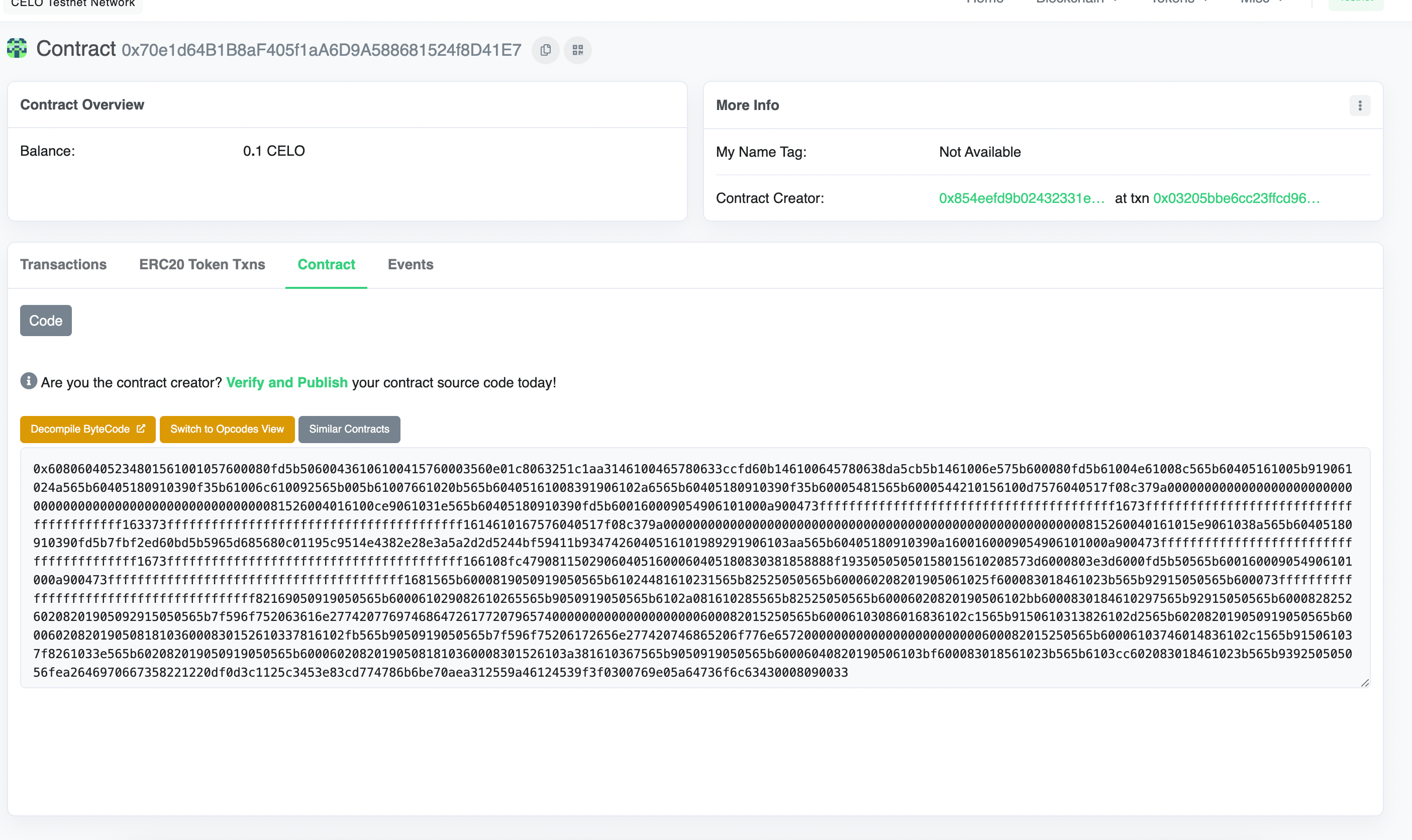
* Navigate to the **Contract** tab at the Explorer page for your contract's address
* Click **Verify & Publish** to enter the smart contract verification page
<Frame>
  <img src="https://mintcdn.com/celo-64ac69bd-palango-docs-restructure/LFQA29_9CZBmmpLH/img/doc-images/verify-celoscan/image1.png?fit=max&auto=format&n=LFQA29_9CZBmmpLH&q=85&s=931787d545f68f549d653c27f90ad7ef" alt="github" width="2810" height="1672" data-path="img/doc-images/verify-celoscan/image1.png" />
</Frame>

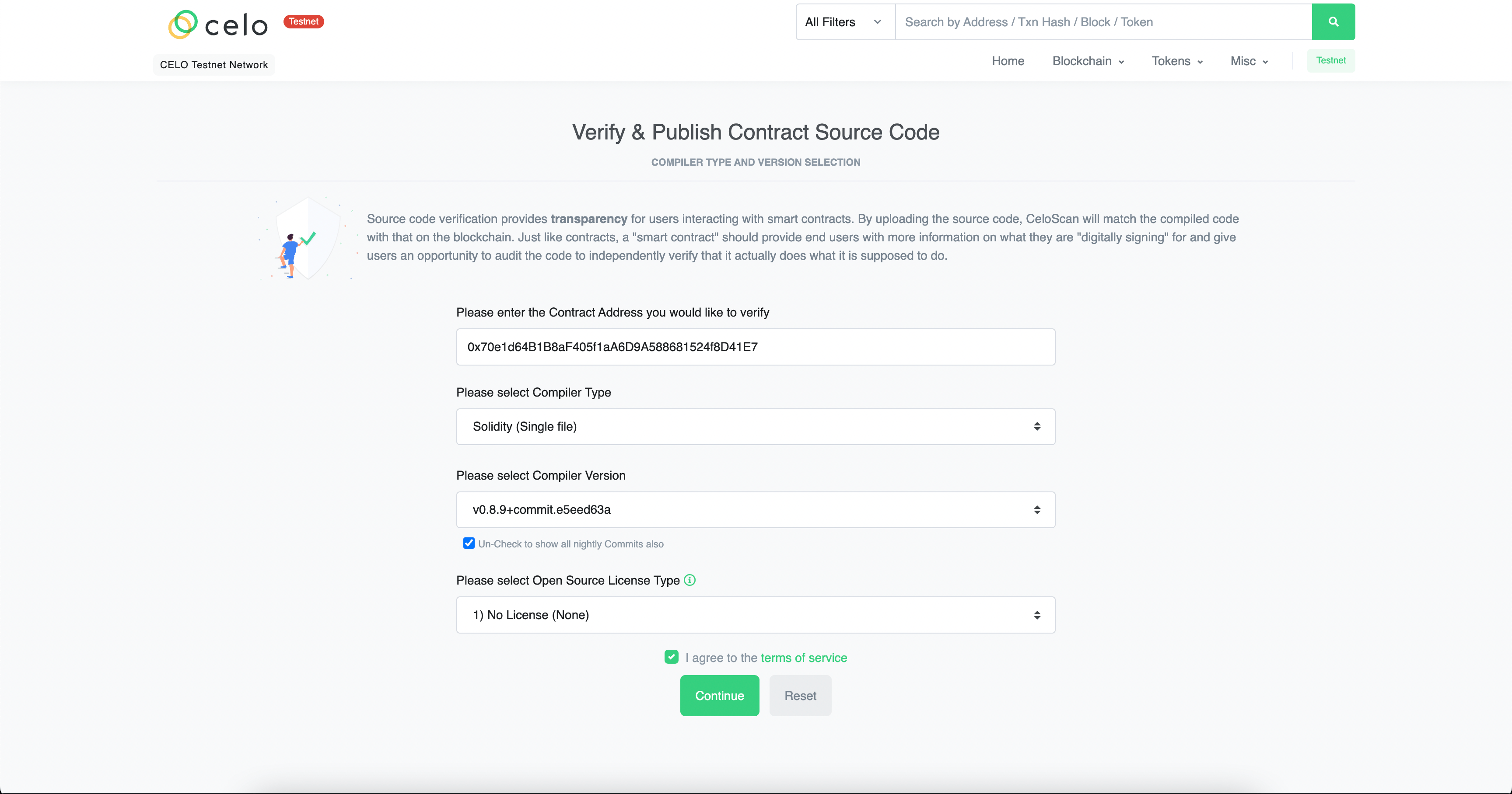
* Select the **Compile** type, **version** and **license**.
<Frame>
  <img src="https://mintcdn.com/celo-64ac69bd-palango-docs-restructure/LFQA29_9CZBmmpLH/img/doc-images/verify-celoscan/image2.png?fit=max&auto=format&n=LFQA29_9CZBmmpLH&q=85&s=962fd18269b8d4ec69b46948926db061" alt="github" width="3456" height="1816" data-path="img/doc-images/verify-celoscan/image2.png" />
</Frame>

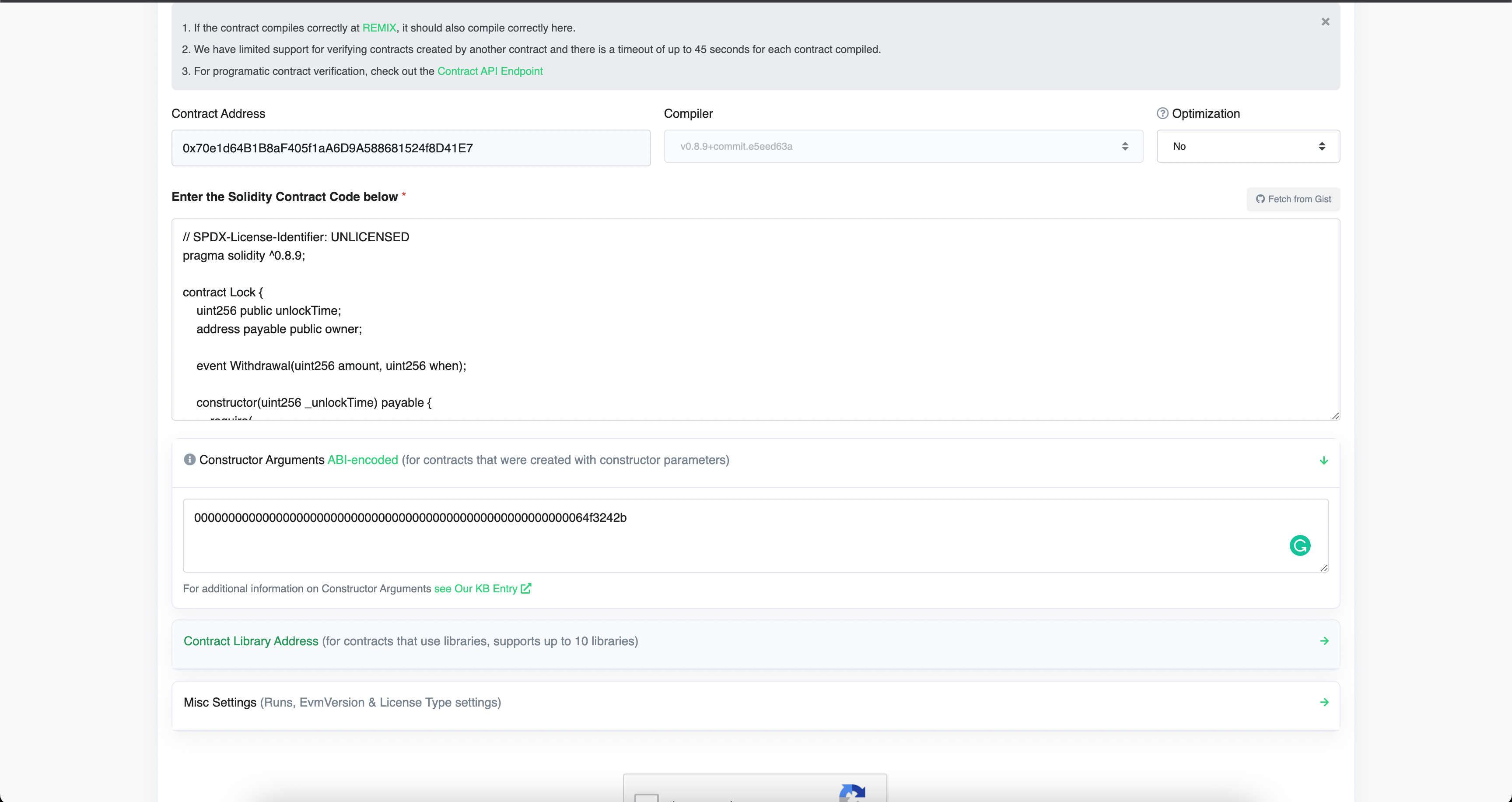
* Enter the Solidity Code of the contract along with the constructor arguments.
* Complete Captcha and click **Verify and Publish**.
<Frame>
  <img src="https://mintcdn.com/celo-64ac69bd-palango-docs-restructure/LFQA29_9CZBmmpLH/img/doc-images/verify-celoscan/image3.png?fit=max&auto=format&n=LFQA29_9CZBmmpLH&q=85&s=63169329f648b9053a0363bb5328f9c1" alt="github" width="3456" height="1832" data-path="img/doc-images/verify-celoscan/image3.png" />
</Frame>

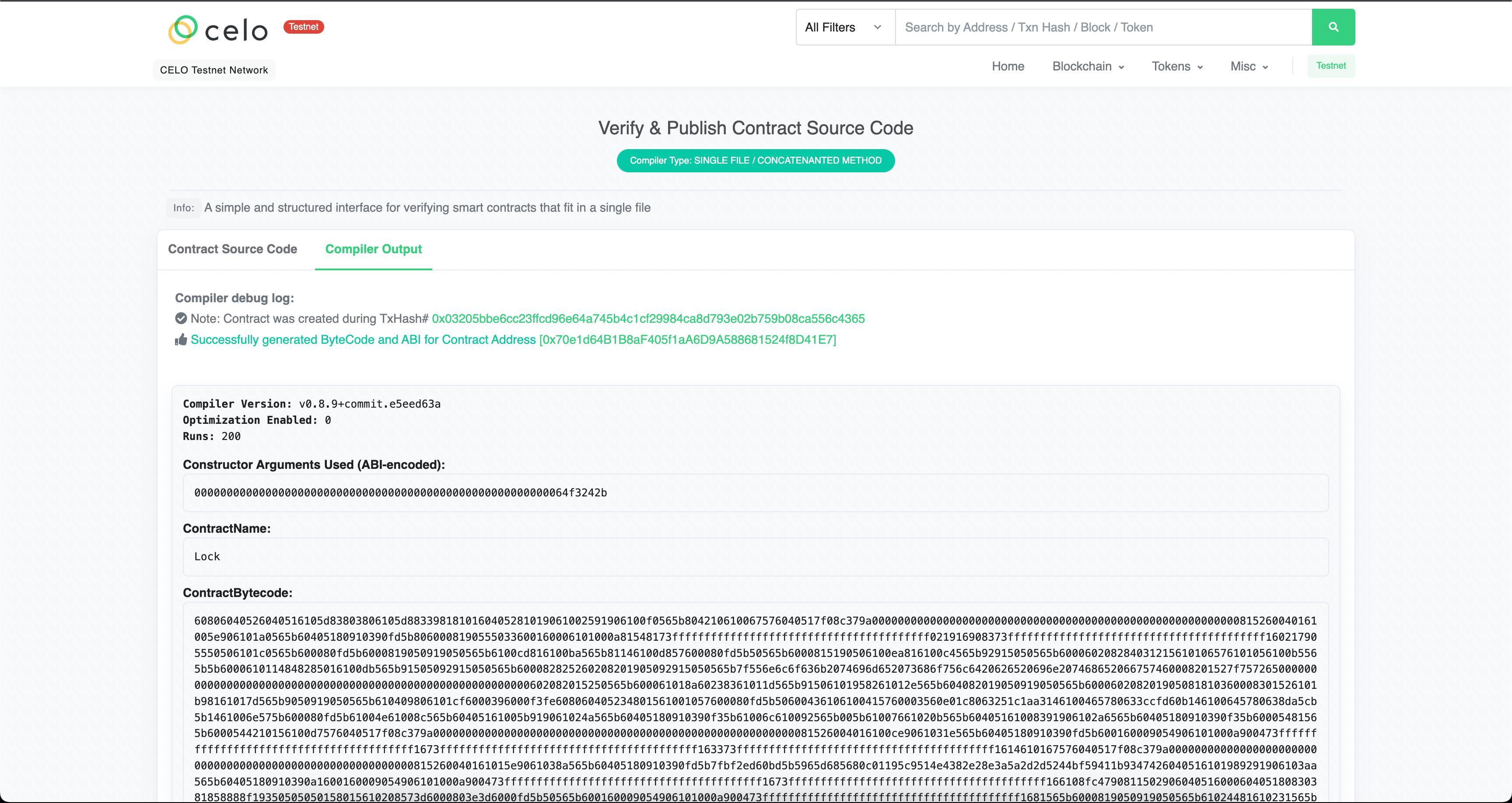
* If done correctly, you should see the following screen.
<Frame>
  <img src="https://mintcdn.com/celo-64ac69bd-palango-docs-restructure/LFQA29_9CZBmmpLH/img/doc-images/verify-celoscan/image4.png?fit=max&auto=format&n=LFQA29_9CZBmmpLH&q=85&s=f97539465666acd69c21278f02c11186" alt="github" width="3456" height="1836" data-path="img/doc-images/verify-celoscan/image4.png" />
</Frame>
